

This tutorial explains how to obtain your key and generate a new one within the Muuktest application
Go to portal.muuktest.com:5000
1. Introduction
You will learn the necessary steps to access your account settings and refresh your key securely.
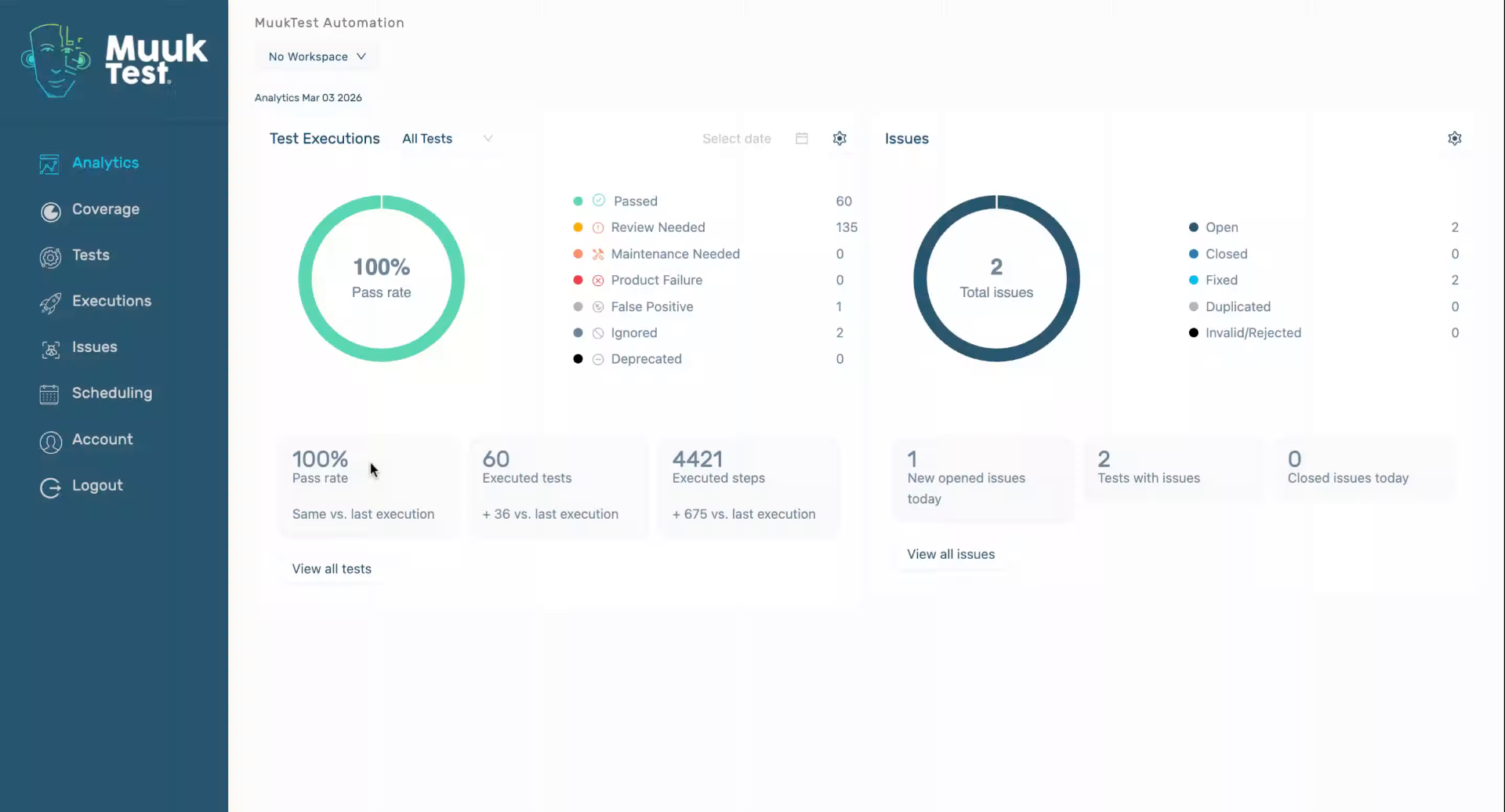
2. Access Account Settings
Click "Account" to open your account settings where you can manage your keys and preferences.
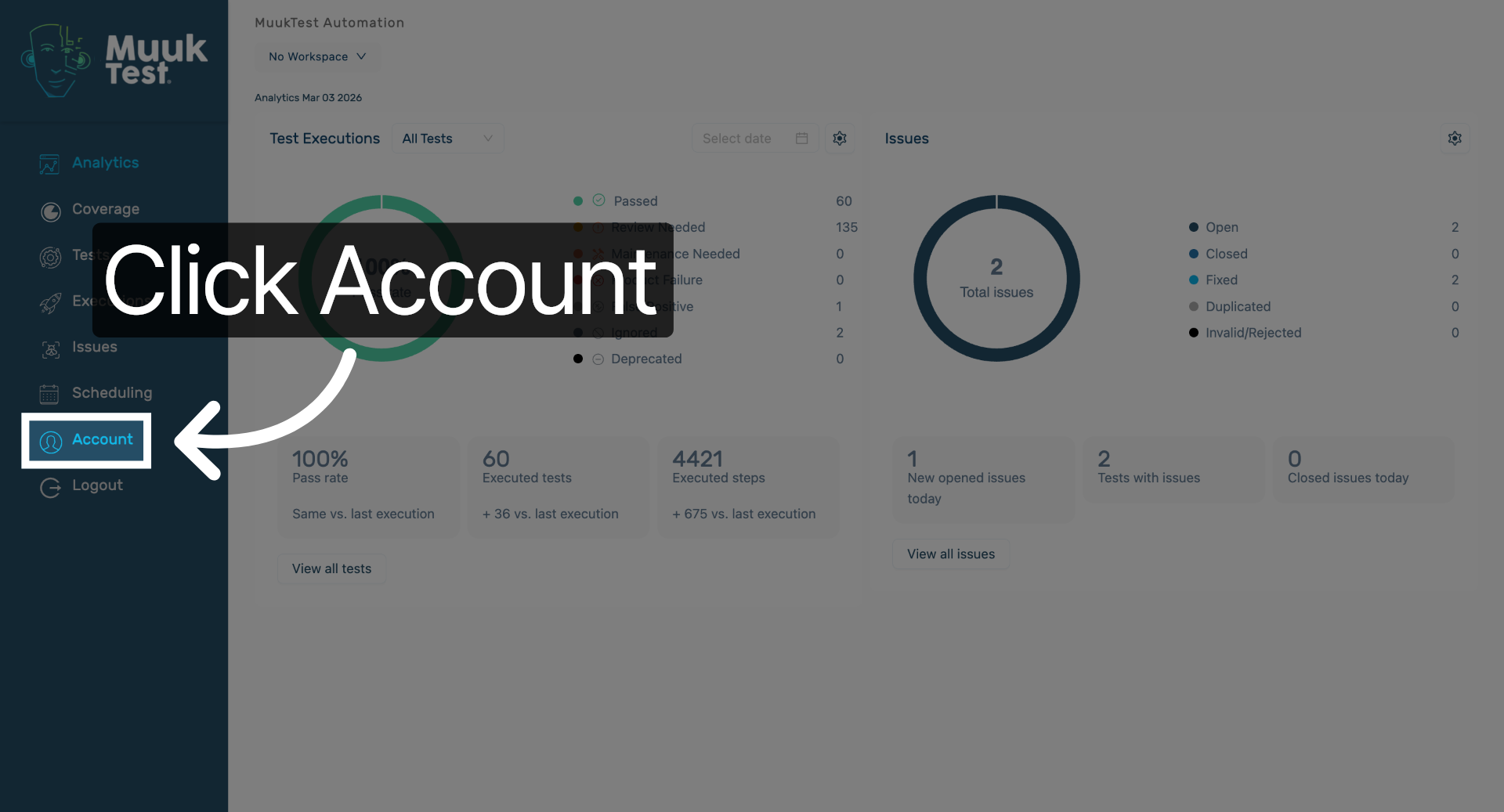
3. Download Your Key
Click "Download" to save your current key to your device for secure access.
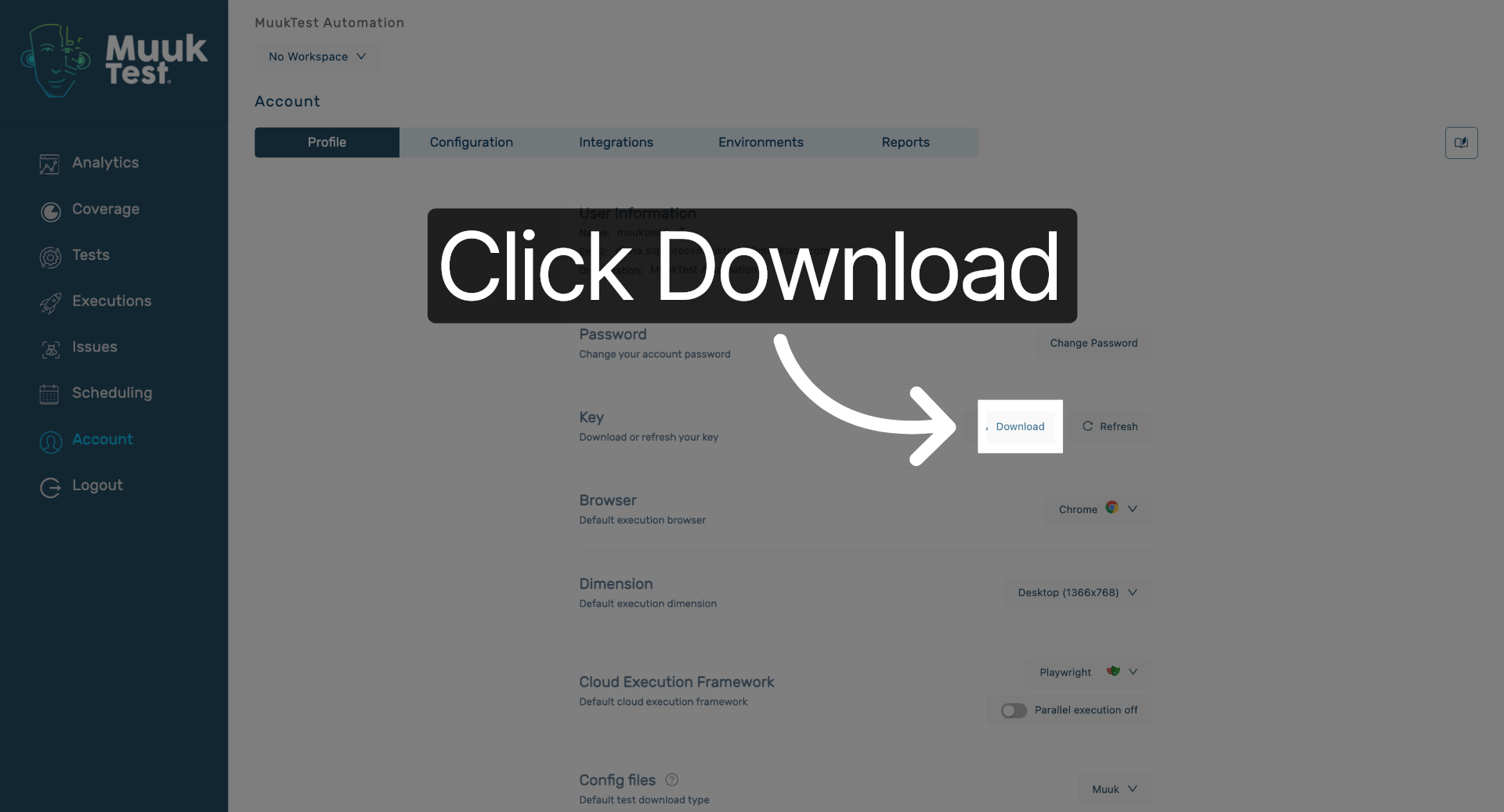
4. Refresh Your Key
Click "Refresh" to generate a new key, ensuring your access credentials are up to date.
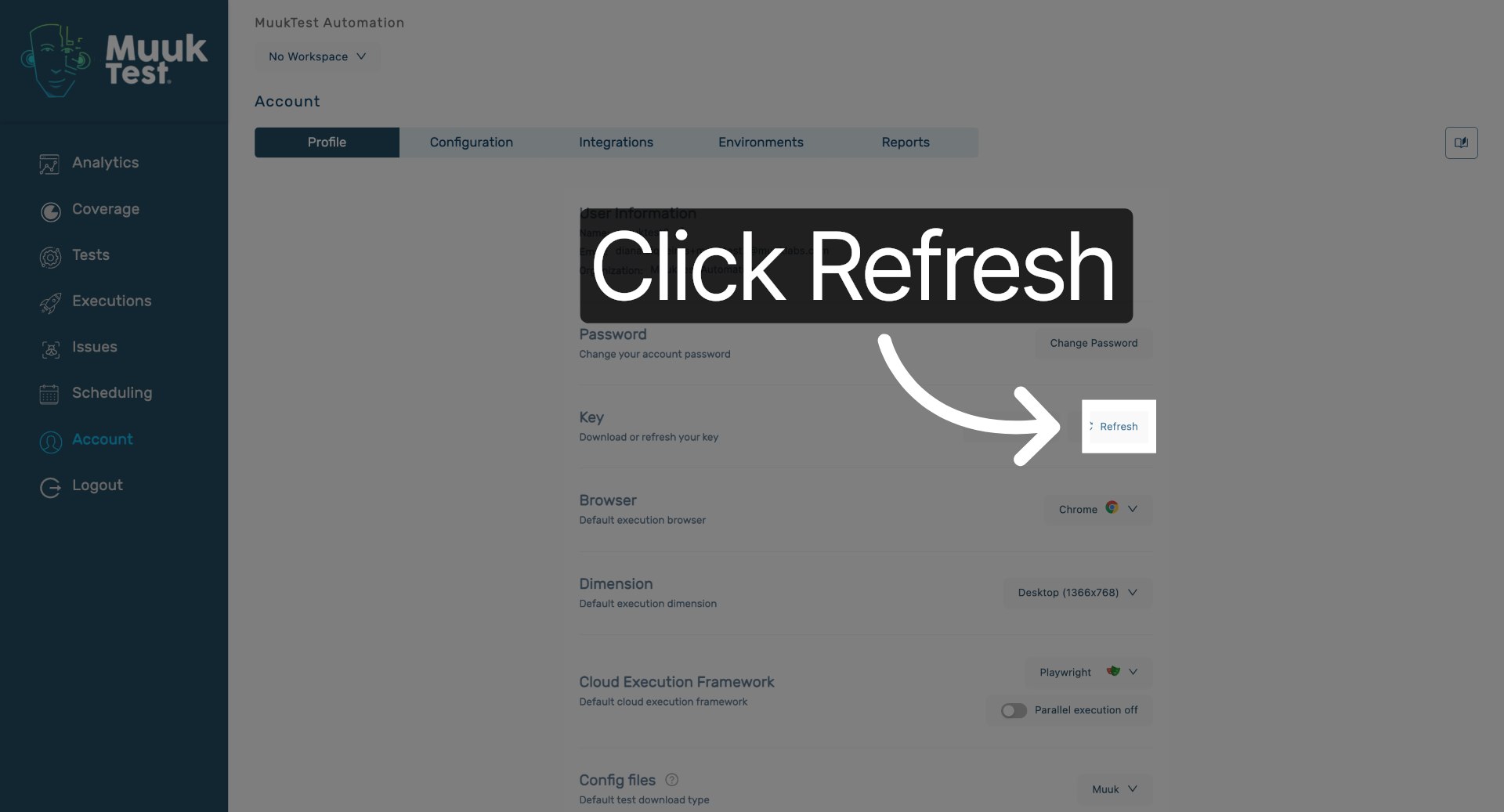
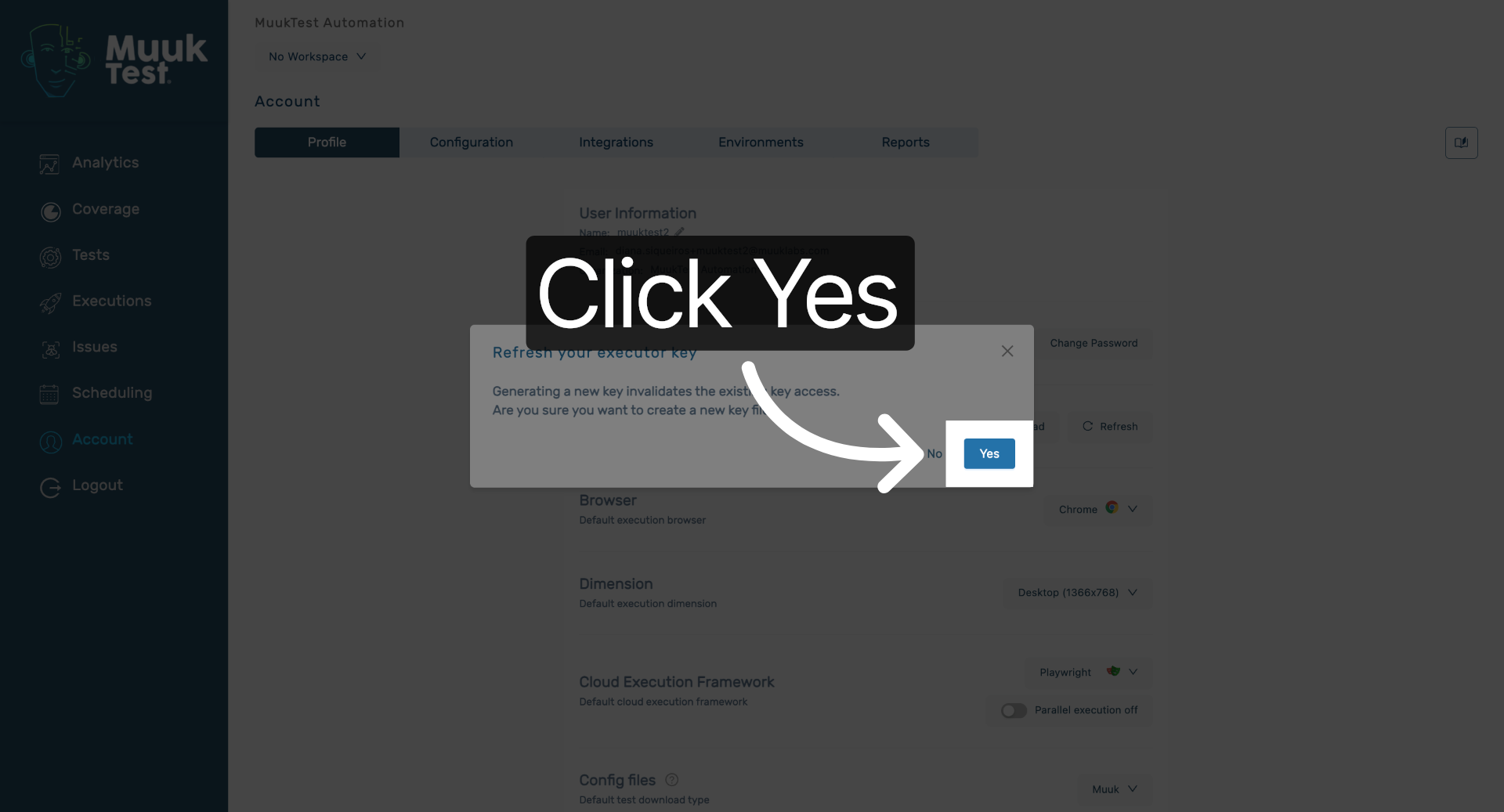
5. Confirm Key Generation
Click "Yes" to confirm the generation of a new key and complete the process.
You have successfully retrieved your existing key and generated a new one in Muuktest. This ensures your access credentials are current and secure for continued use.
Comments
0 comments
Please sign in to leave a comment.