
This tutorial provides guidance on how to delete steps within the MuukTest application.
Go to portal.muuktest.com:5000
1. Introduction
You will learn how to delete test steps and save changes.
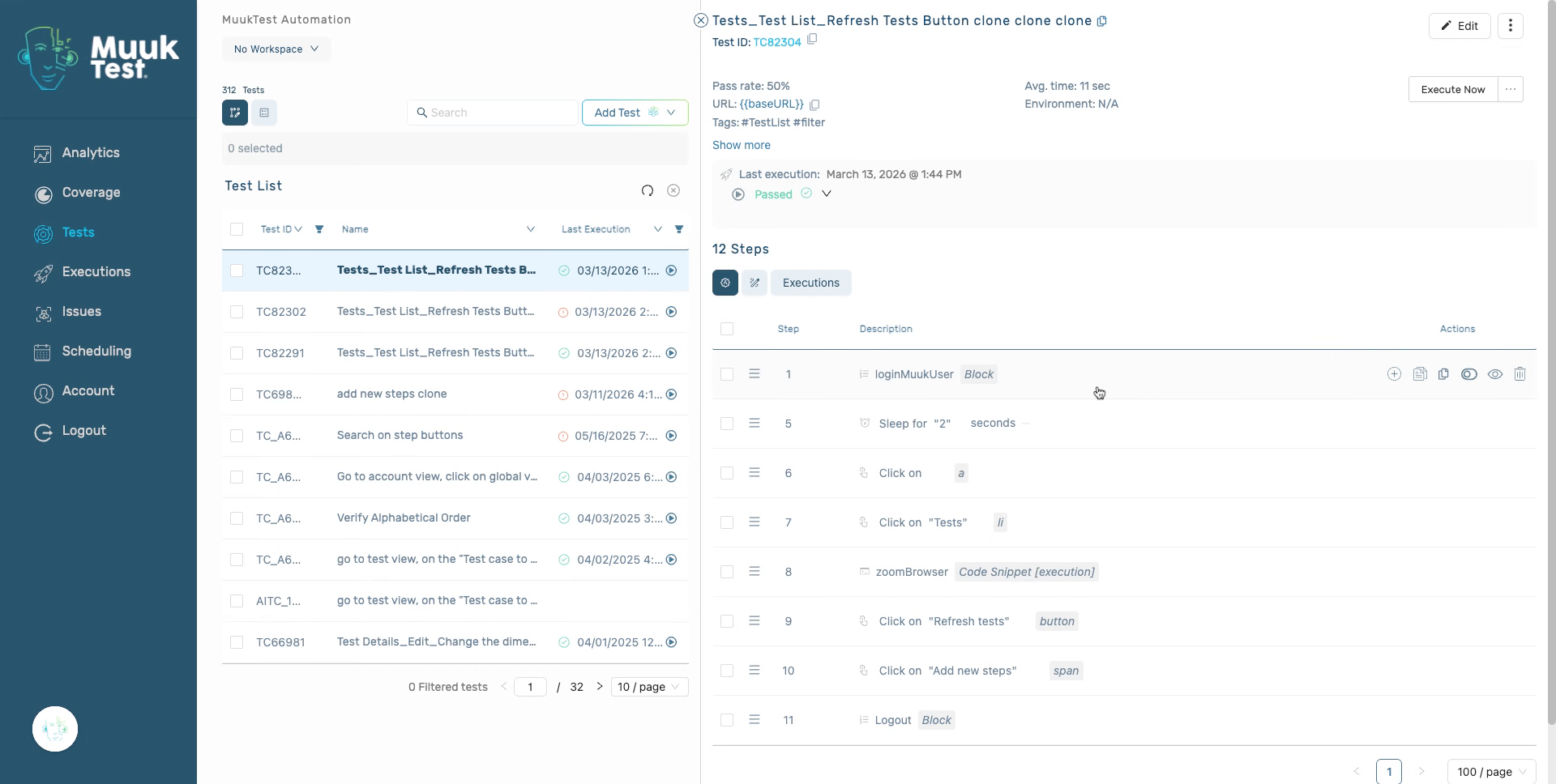
2. Delete in bulk
Select all the necessary steps that you wish to delete.
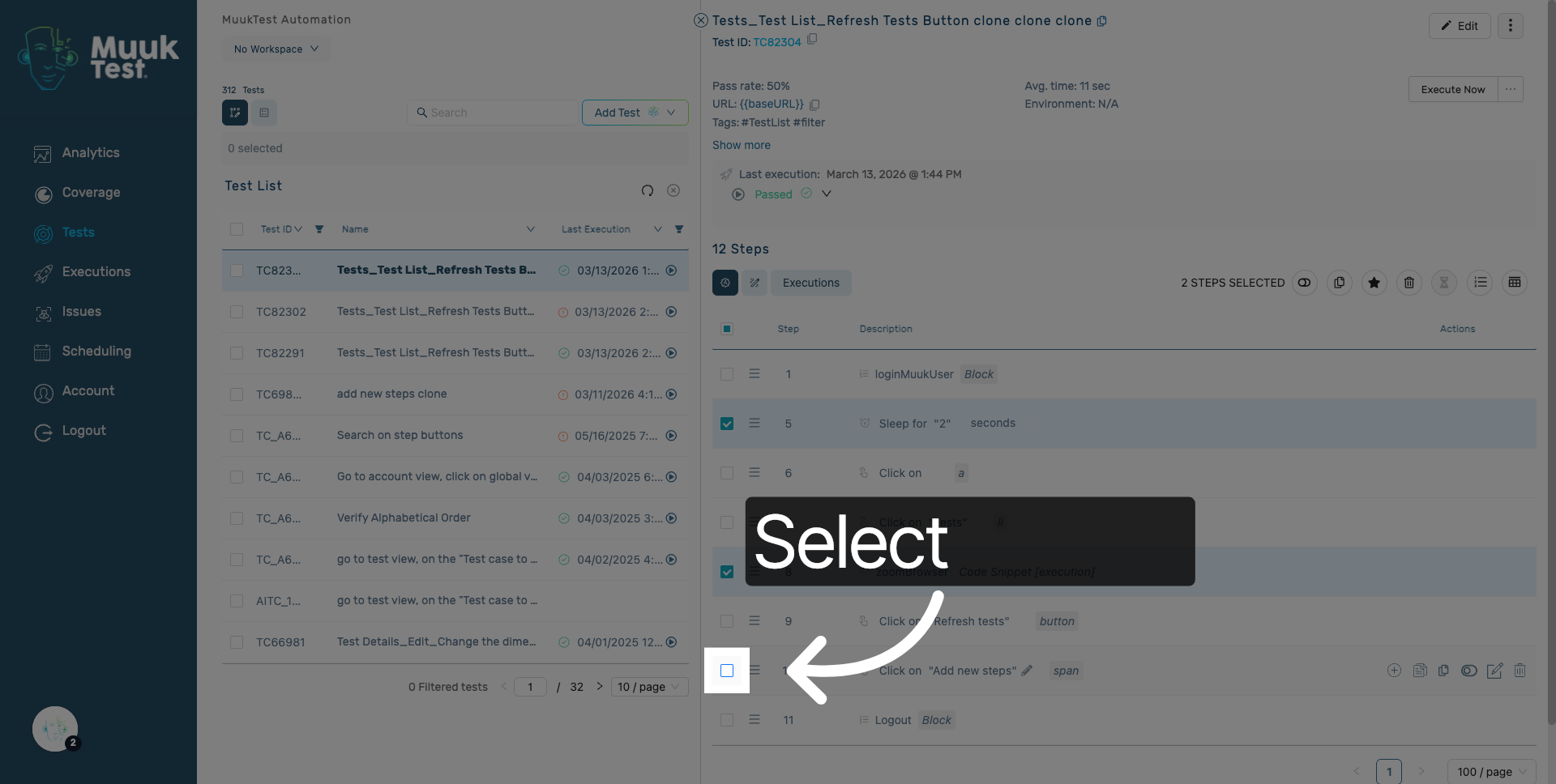
3. Access delete steps option
Click here to delete the selected steps.
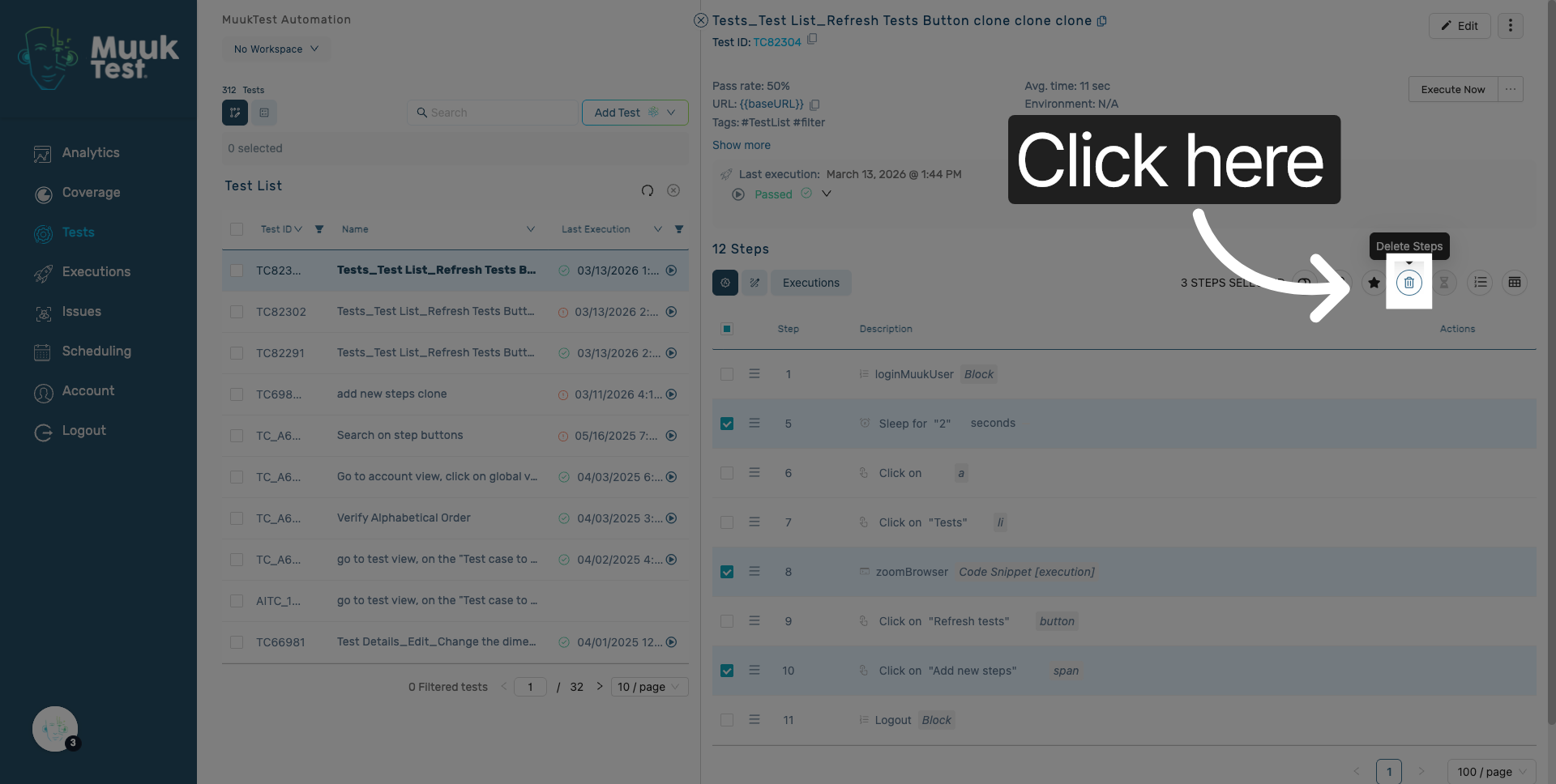
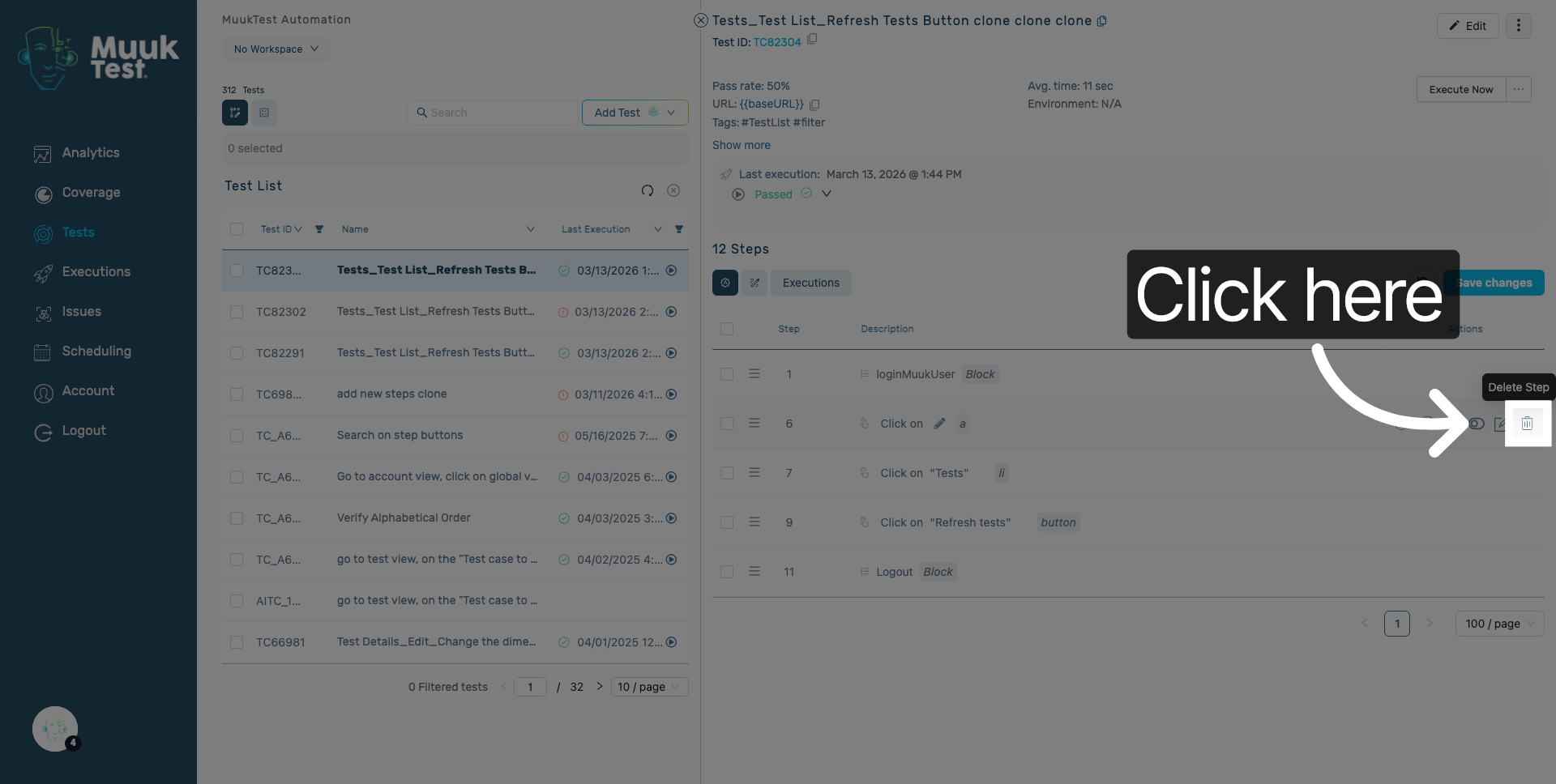
4. Delete single step
If you want to delete a single step, Hover over the actions column of the step you wish to delete, locate the "Delete step" action, and click on it.
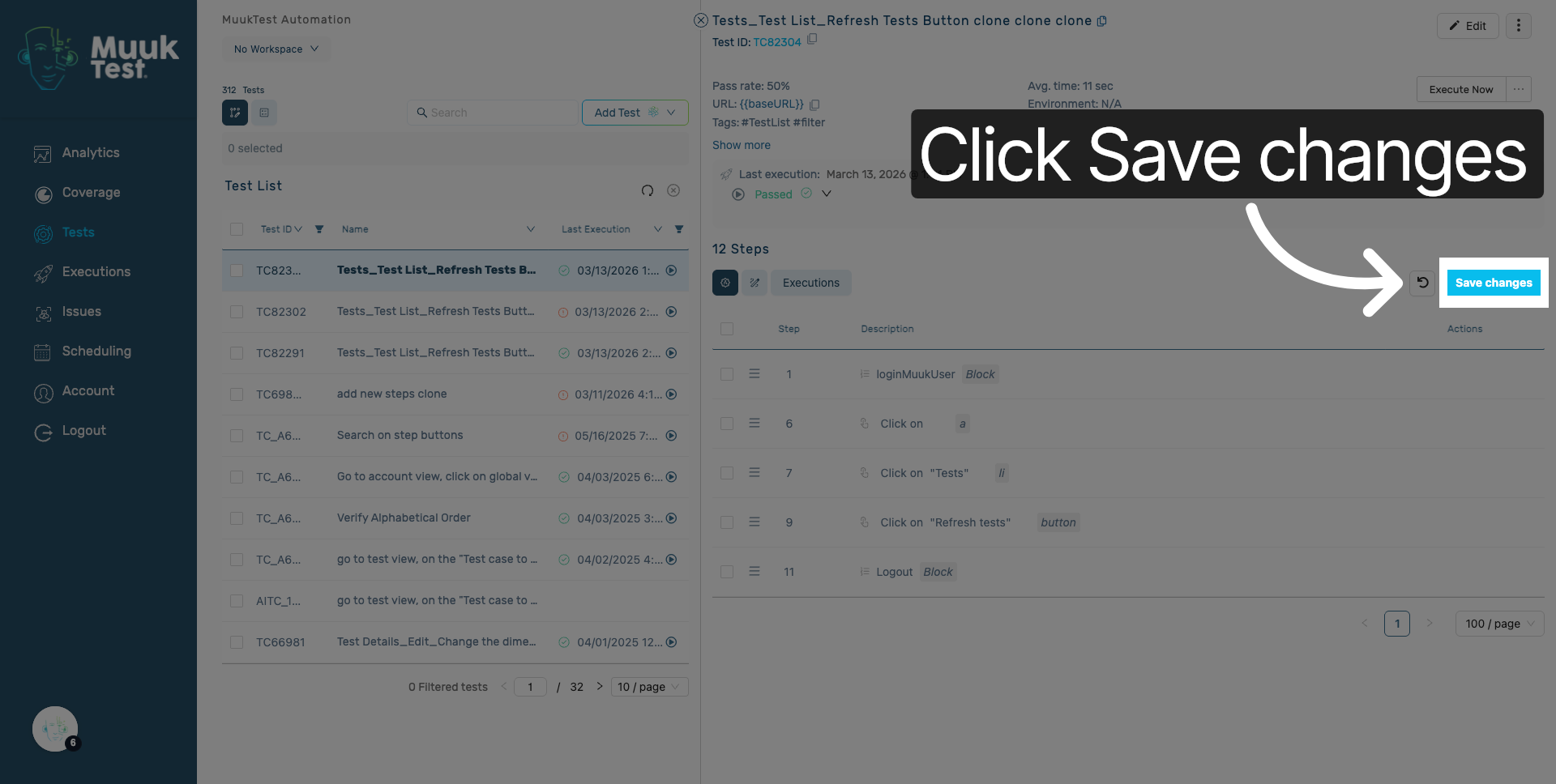
5. Save Configuration Changes
Click the "Save changes" button to apply and store your updated settings.
You have successfully deleted both single and bulk steps within the MuukTest application. This concludes the setup and execution workflow for your task.
Comments
0 comments
Please sign in to leave a comment.