

This tutorial shows you how to edit a set value within your test steps. You will learn to access, modify, and confirm changes to ensure your data is updated correctly.
Go to portal.muuktest.com:5000
1. Access Step Edit Button
Hello, today we're going to learn how to edit a set value. We're going to go to our test, then to our step section, and hover over the step where we want to modify the value. Here we can see the edit button, we click on it.
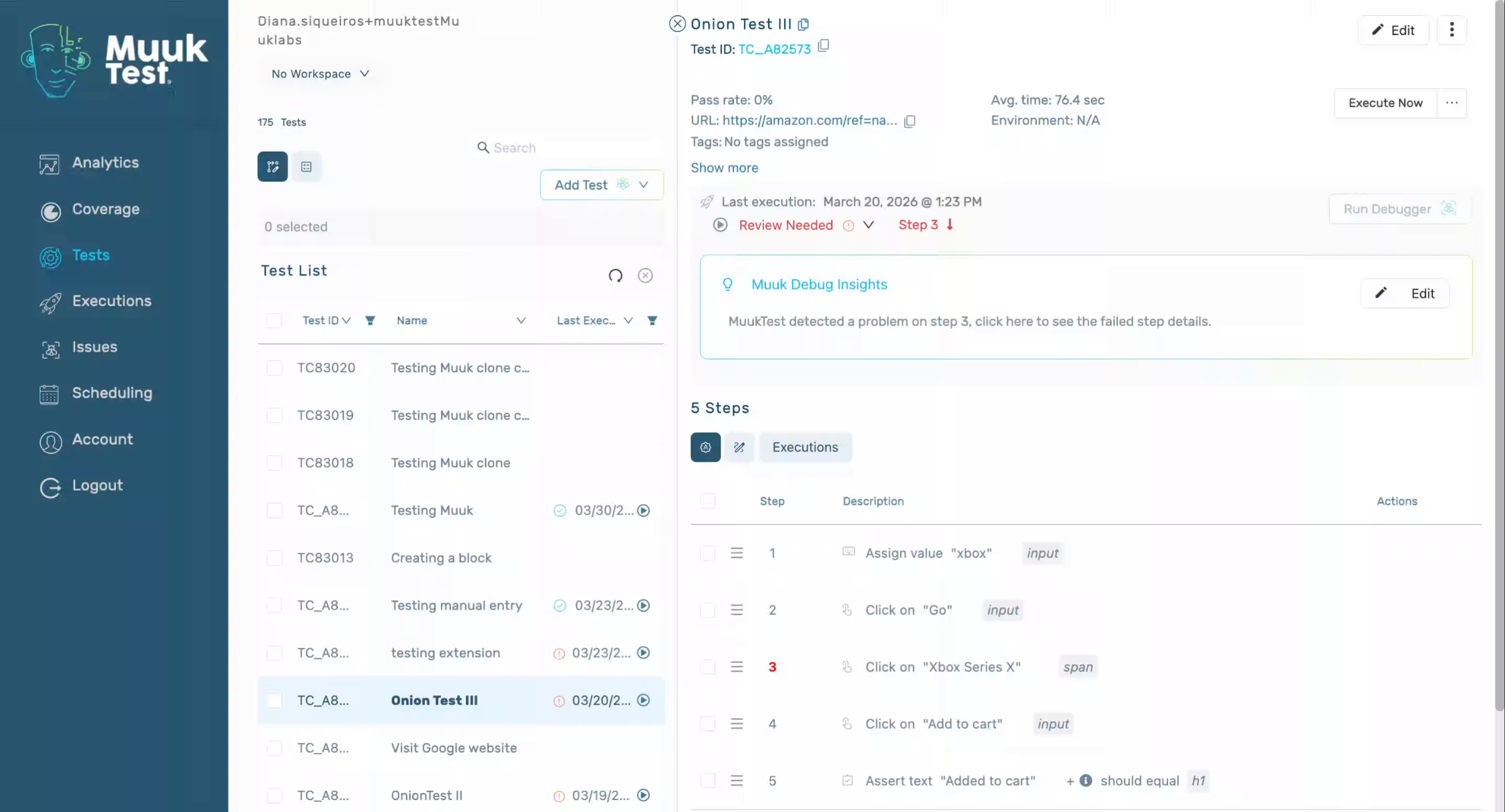
2. Modify Input Value
That's going to change the input to whatever we want. Once you click enter, you're going to see the changes button. Click.
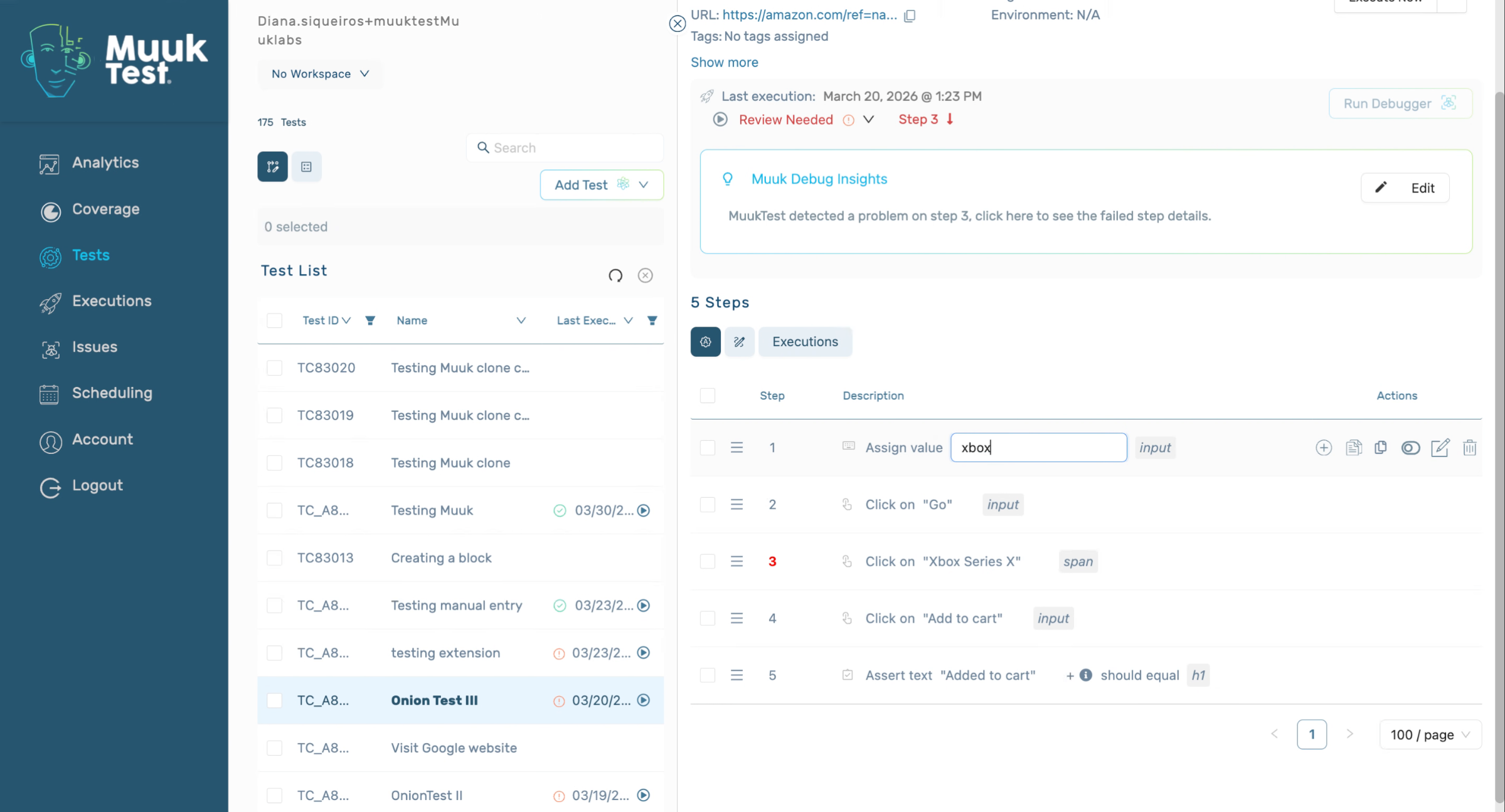
3. Confirm Value Changes
That's how we can edit the value.
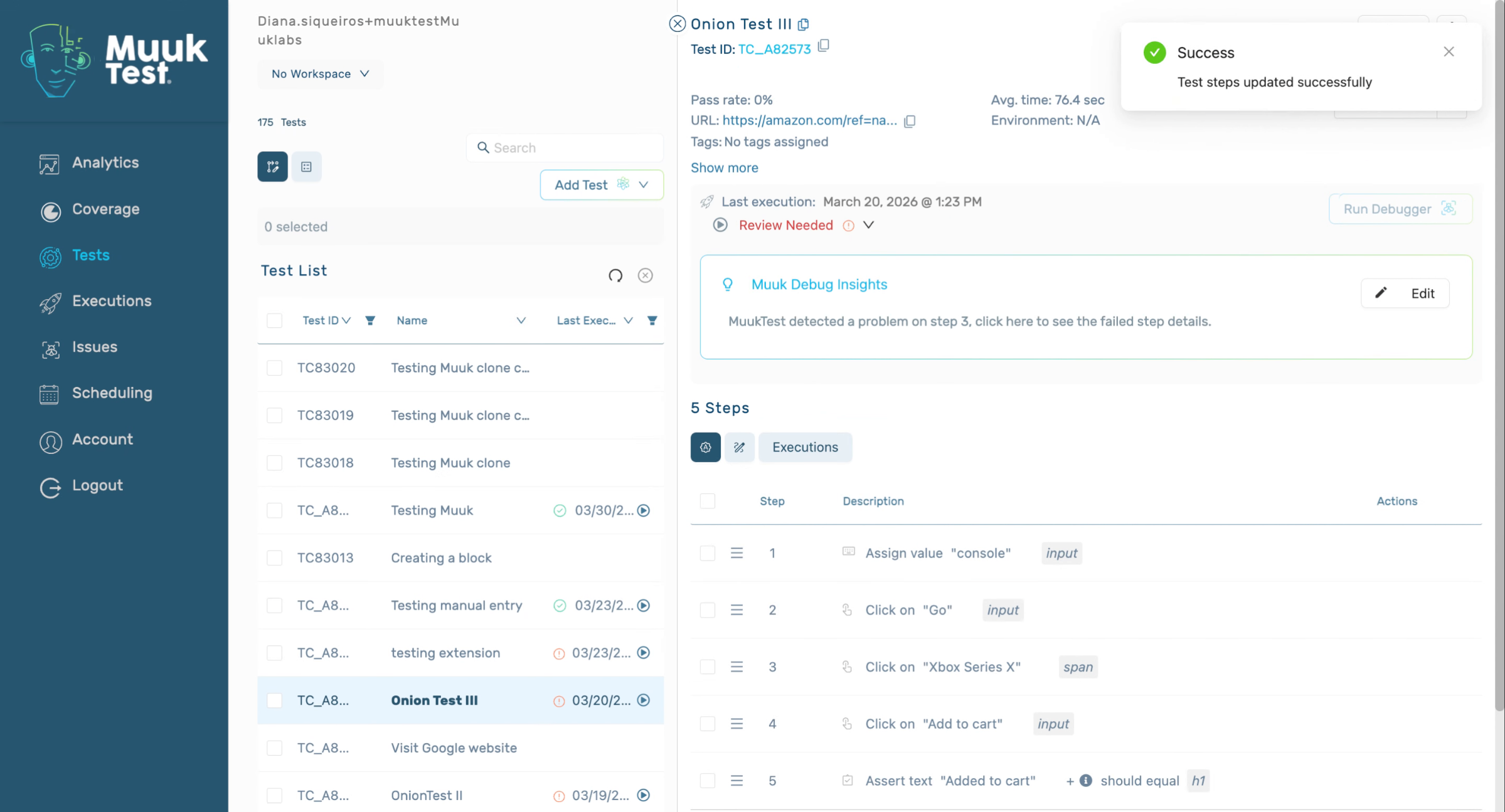
This tutorial demonstrated how to edit a set value by accessing the edit button, modifying the input, and confirming the changes. You can now apply these steps to update values efficiently in your workflow.
Comments
0 comments
Please sign in to leave a comment.