
This tutorial teaches you how to create and manage step blocks to streamline repetitive tasks. By the end, you'll understand how to build reusable step sets for efficient test automation.
Go to portal.muuktest.com:5000
1. Understand Block Creation Purpose
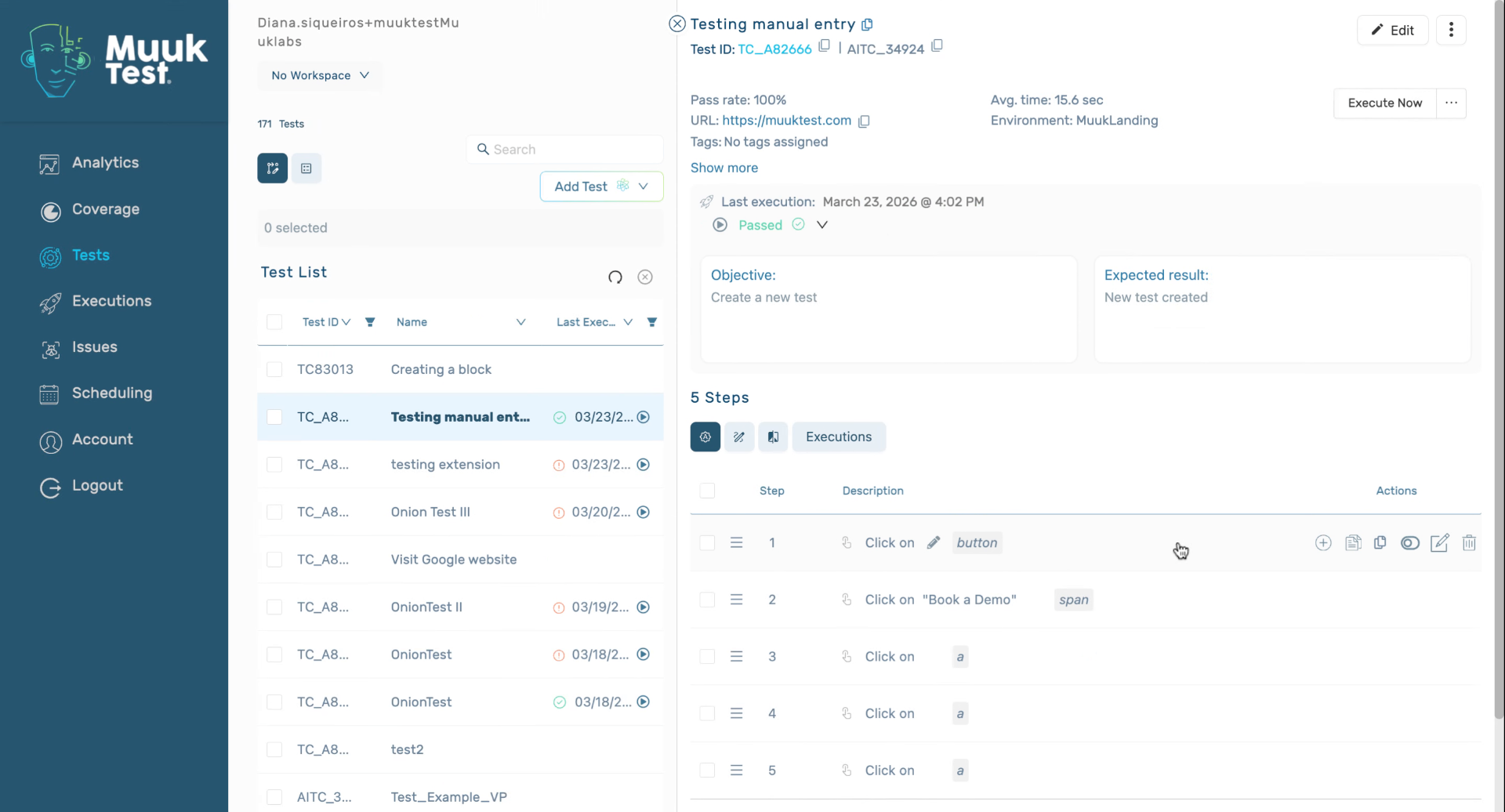
Hello, today we're going to learn how to create a new block. blocks are useful when we want to use a set of steps and repeat them without copying and pasting every single time. When we create a block, we take some steps and put them in just one place.
2. Review Login Block Steps Example
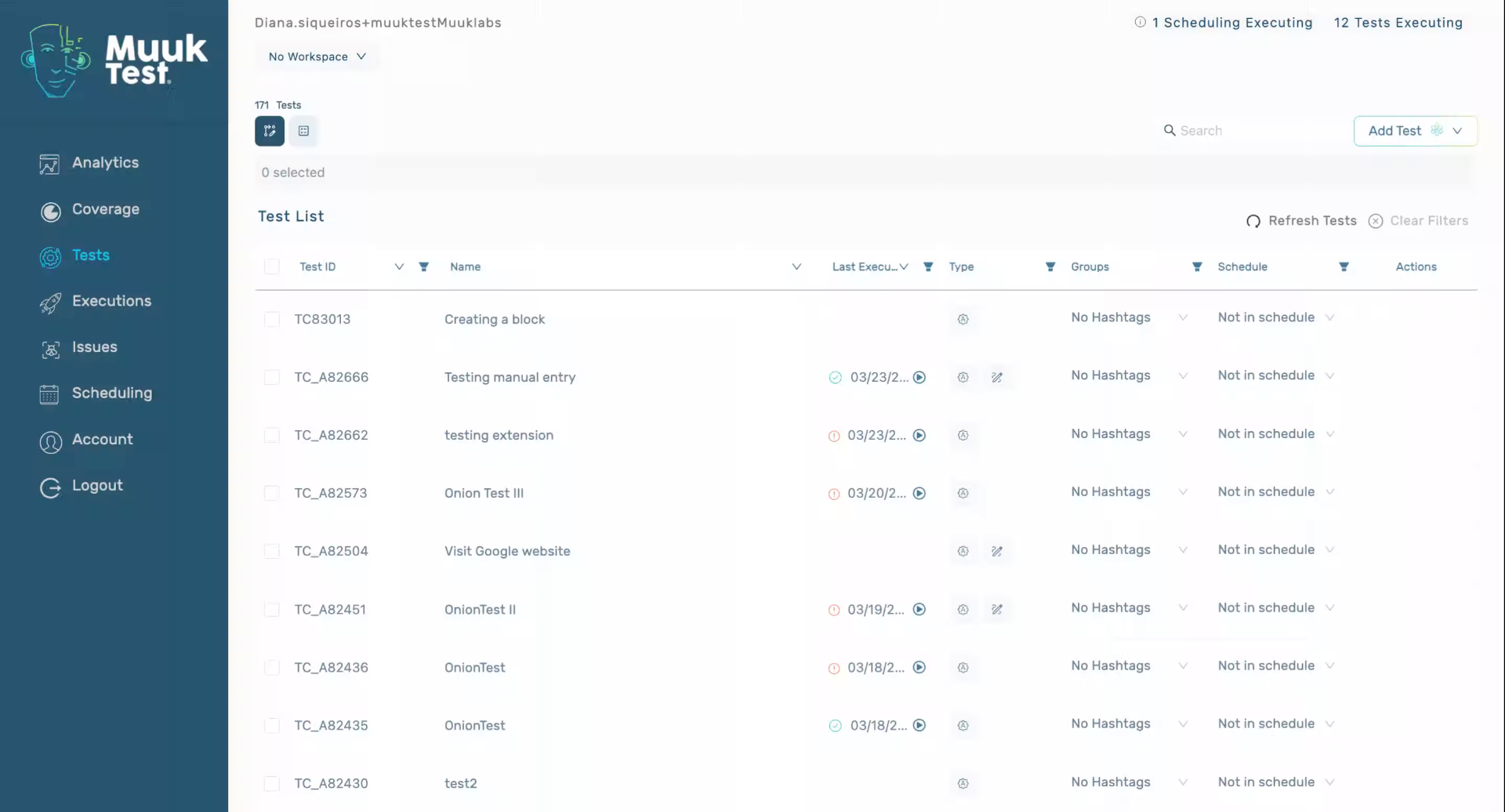
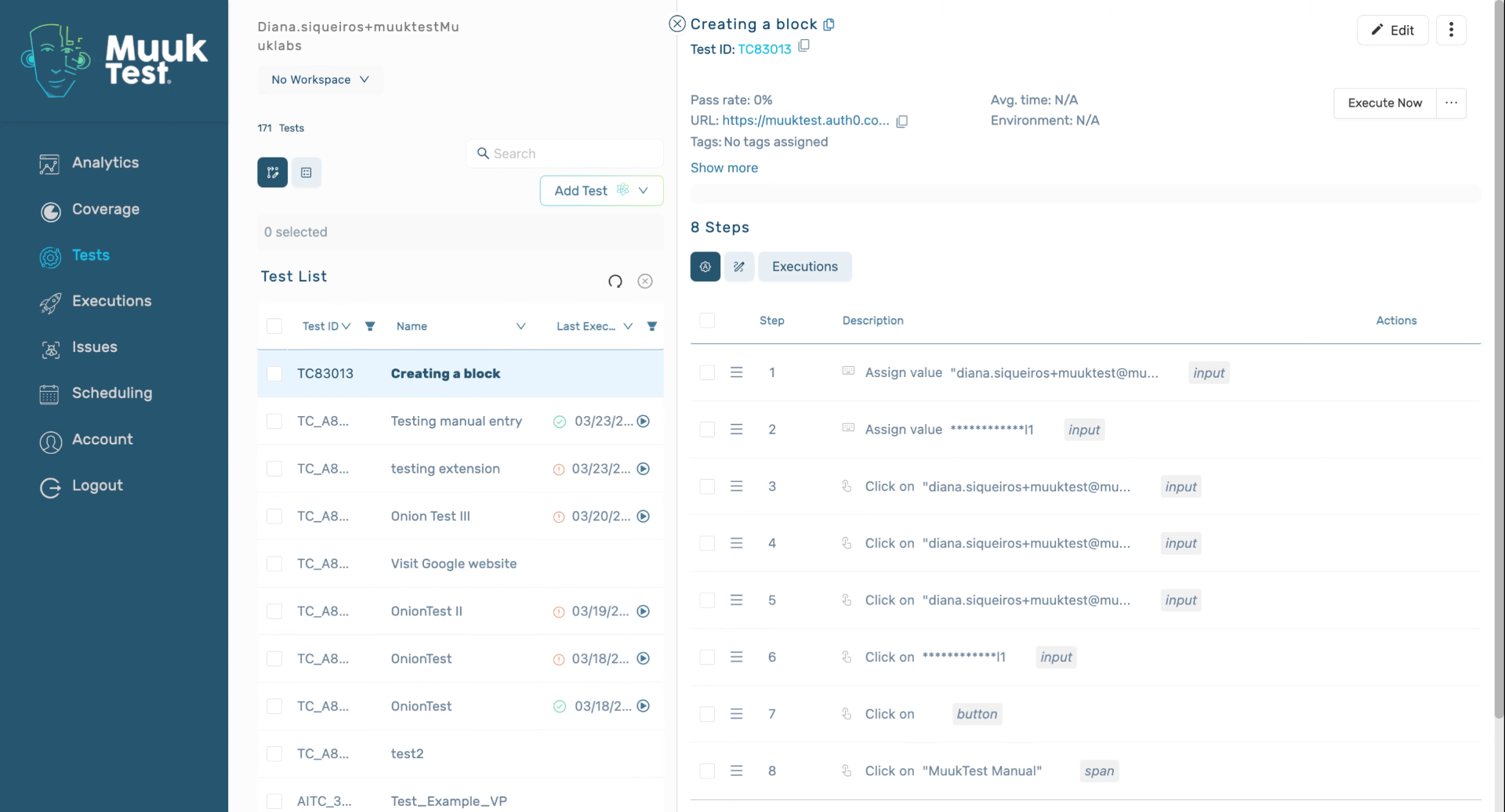
For example, say we want to have a login block. We will have the steps that we want to use in the block. We will select all the steps to create the login.
3. Create Block
Then we're going to go to bulk actions and create a block. Once our block has been created, we can use it anywhere we want. For example, in another test.
4. Add And Preview Block
We can add a block. We can preview our block.
5. Review Steps Inside Block
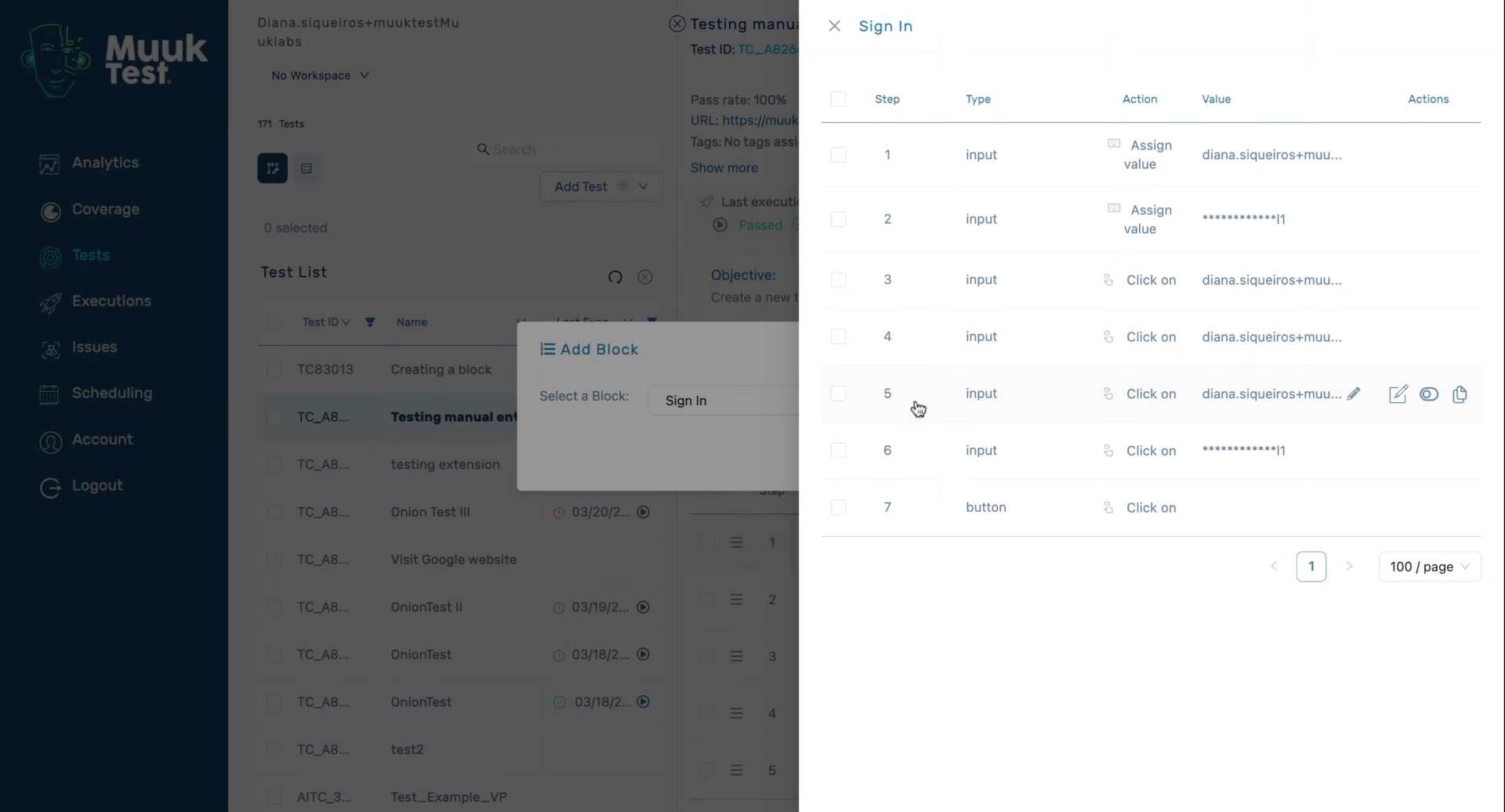
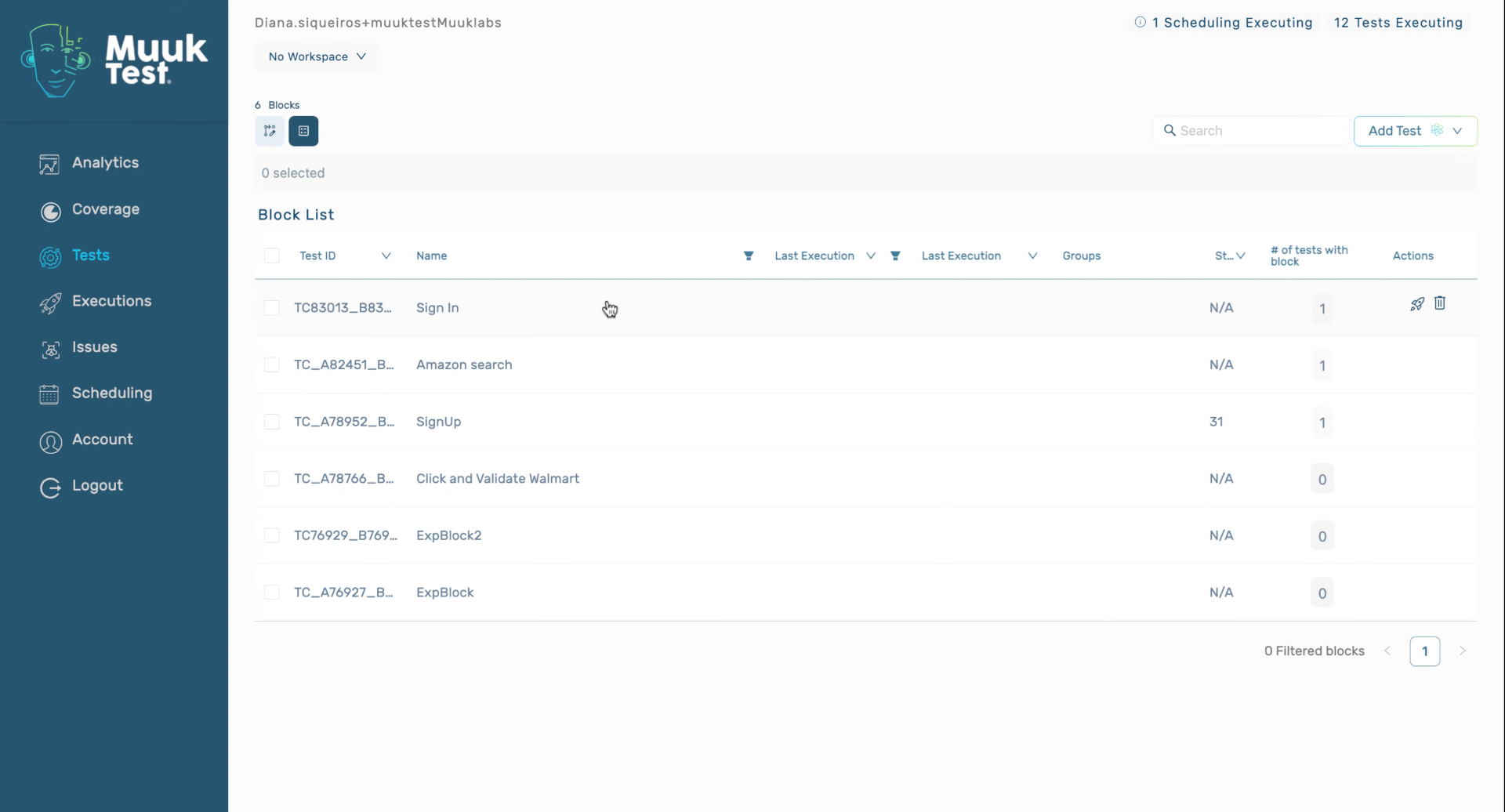
Then we have our sign-in, which is the set of steps that we added. As you can see, we have step one, step two, and it counts all the steps in the block. In this case, it's one, two, then it jumps to nine, so we have seven steps there. We can review all our blocks by going to the table and clicking on the blocks tab. We can edit them,
6. Manage And Edit Blocks
Disable, enable steps, just like we would with regular steps. Okay.
You have successfully created, invoked, and managed blocks in the MuukTest application. You can now reuse these blocks in other tests and edit them as needed to streamline your workflow.
Comments
0 comments
Please sign in to leave a comment.